Docs › Modules › Sales › Operating activity Sales › Sales
Request by Sale
Interface for requesting quantities by sale. Consists of Lines (1) showing the items to be ordered:
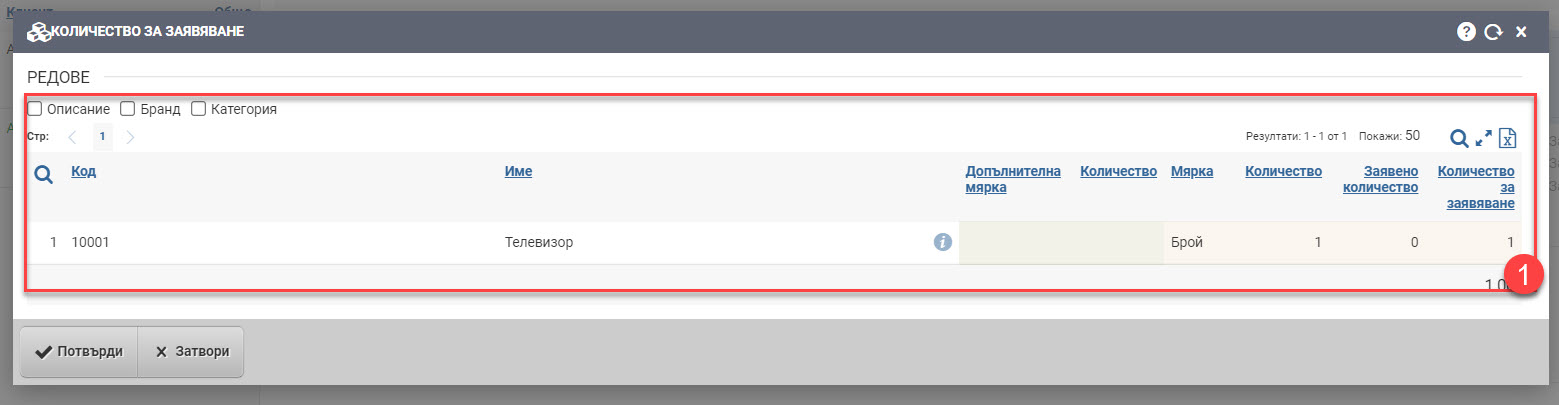
If you have more than one item to claim, a box will appear in front of each line to indicate which line of the sale you want to claim. The list consists of the following columns showing information about the item:
| Column | Description |
| Code | Item code. |
| Name | Item Name. |
| Opens an item file. | |
| Additional measure | Additional measure of the item. |
| Quantity | Quantity in the additional measure of the item. |
| Measure | Unit of measure used in the sale. |
| Quantity | Quantity on sale. |
| Quantity requested | A quantity that has already been requested for service. |
| Quantity to request | Quantity you want to request. Double-click to edit the details in the field and specify the quantity you need to order. |
You can also add the following additional columns to the item information:
| Column | Description |
| Description | Item description. |
| Brand | Item Brand. |
| Category | Item Category. |
The Confirm button sends the entered quantities as pending to the Service Requests interface, where they can be ordered from a Supplier or moved from another warehouse where they are available.
Cancel returns you to the previous interface without making any changes.