Docs › Modules › Sales › Sales Settings
Targeting Rules
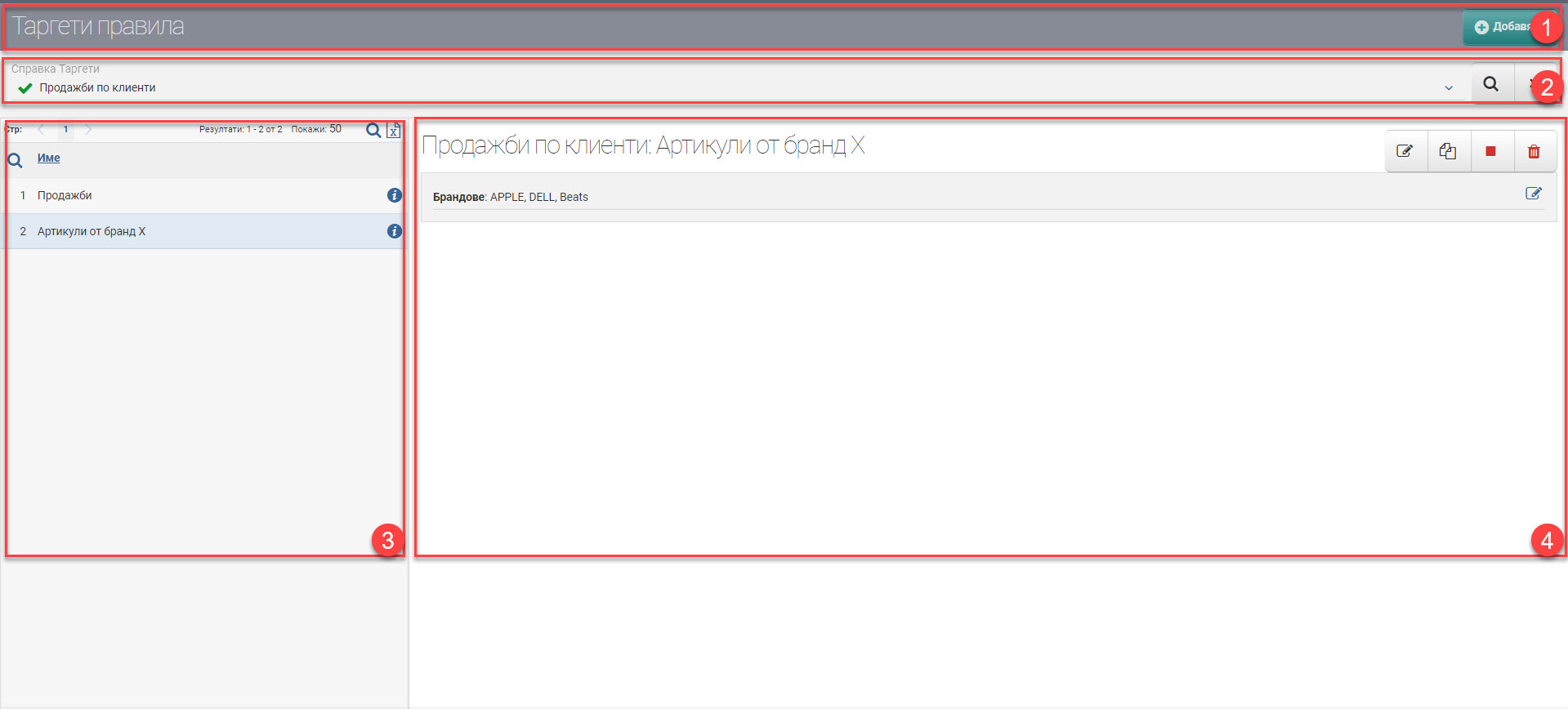
Interface for managing target rules. It consists of Header (1), Filter (2), Targets (3) and Work Panel (4):
Header (1)
In the Header, you see an Add button that opens an interface for you to add a new target.
Filter (2)
In the Filter, you can select a specific targeting reference to view. The search button starts filtering, and X clears the filter.
Targets (3)
Targets based on the specified criteria appear in the list. Next to the name of each target in the list, you see the button , which opens the target in the work pane.
Working panel (4)
In the panel you can perform the following actions on targets and rules:
- – edit target;
- – copy the target, but with a different name;
- /– enable/disable the use of the target;
- – delete target;
- per rule – edit the rule you set as the target.