Docs › System settings and administration › System settings
Manage price lists by customer type
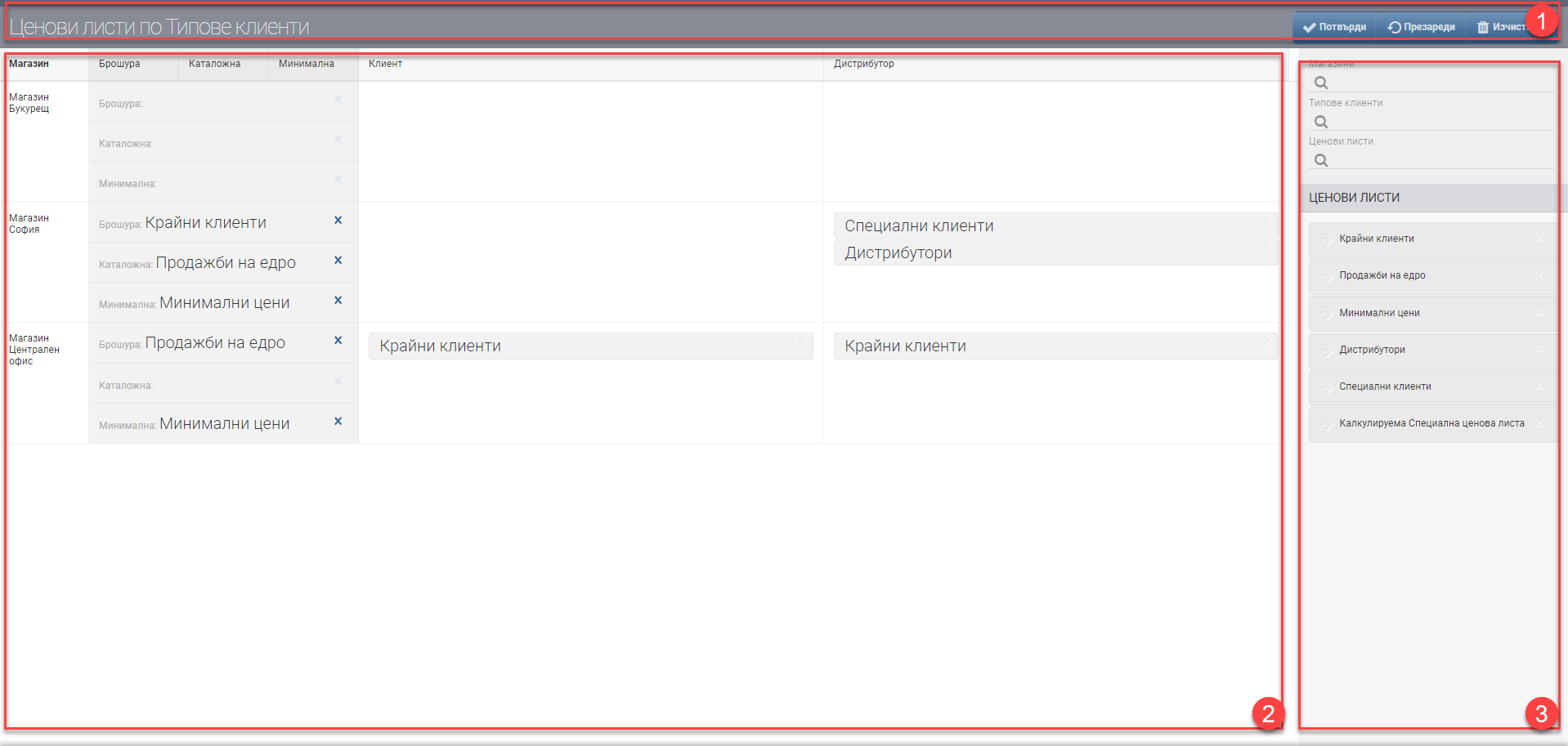
- Confirm- to confirm the changes made.
- Reload- to discard the unsaved changes (undo). For example, if you move a price list to Brochure and do not press Confirm but press Reload, this will remove the price list from Brochure.
- Clear- to clear all fields.
- Brochure- this is the price list with the highest priority.
- Catalogue- this is the price list for comparison. It appears in the interface for adding an item and is used for reference only.
- Minimum- this is the price list that can be used as a control in the sale, so that a given good/service is not sold below a certain value. Whether the minimum price is shown in the interface for adding an item to the sale, and whether it stops the operator if they decide to sell below it, must be configured additionally in Sales types.