Docs › Modules › CRM › Working with Partners
Banks
In the CRM > Counterparties > Banks menu, you will find a list of your organization’s banks. Most often, counterparties of this type are used when you have a bank account ( for payments by bank transfer) or a micro-account for card payments ( for card payments at a POS terminal).
As a reminder, banks can be added manually from counterparty creation, imported from excel or from the account creation interface.
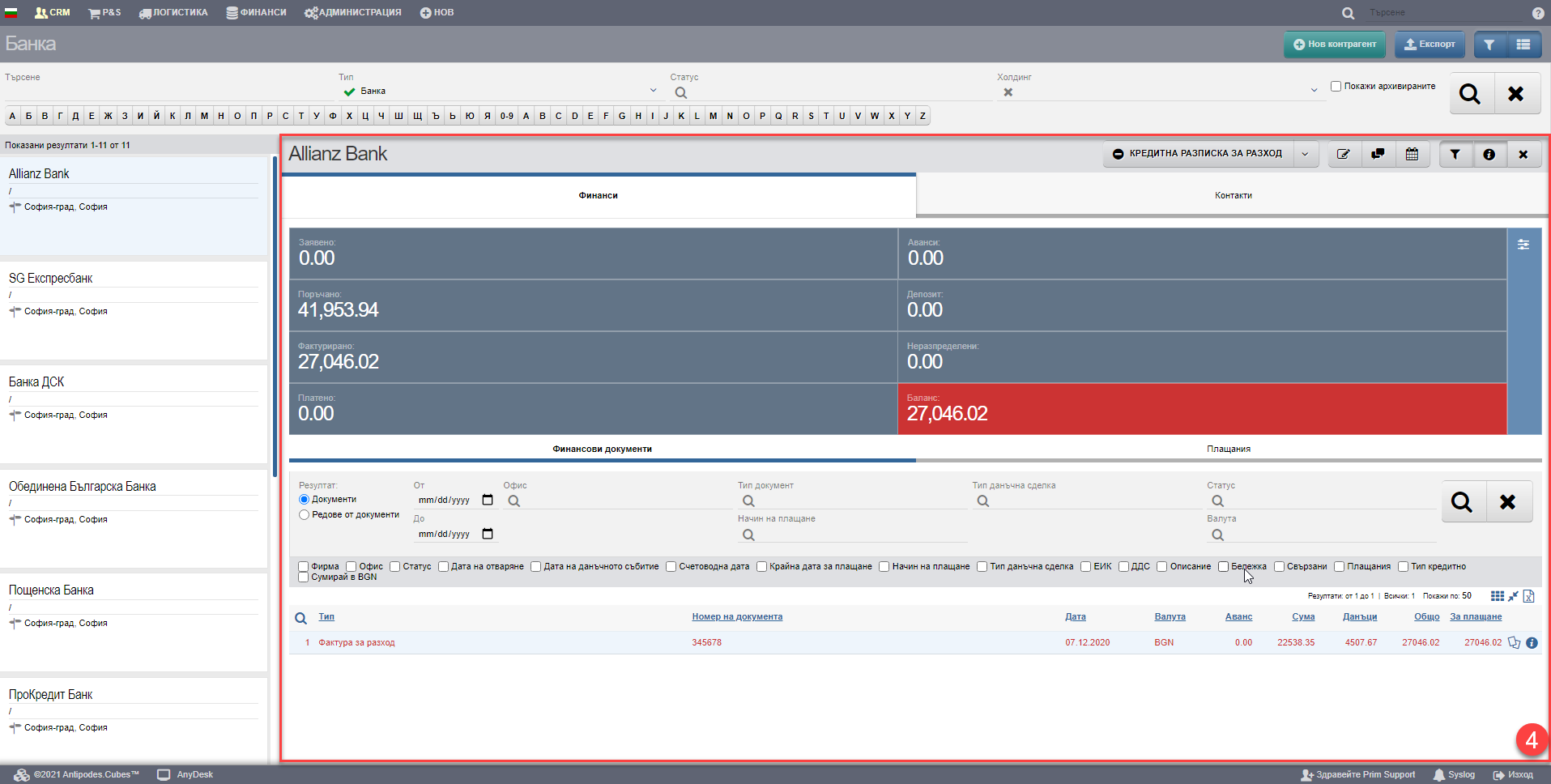
The aim of the interface is to give you easy access to all the banks and find them quickly when you need them. In addition, with one click on the name of the bank you are looking for, you get access to its file, full of a lot of contact, financial and other information (according to the set user rights).
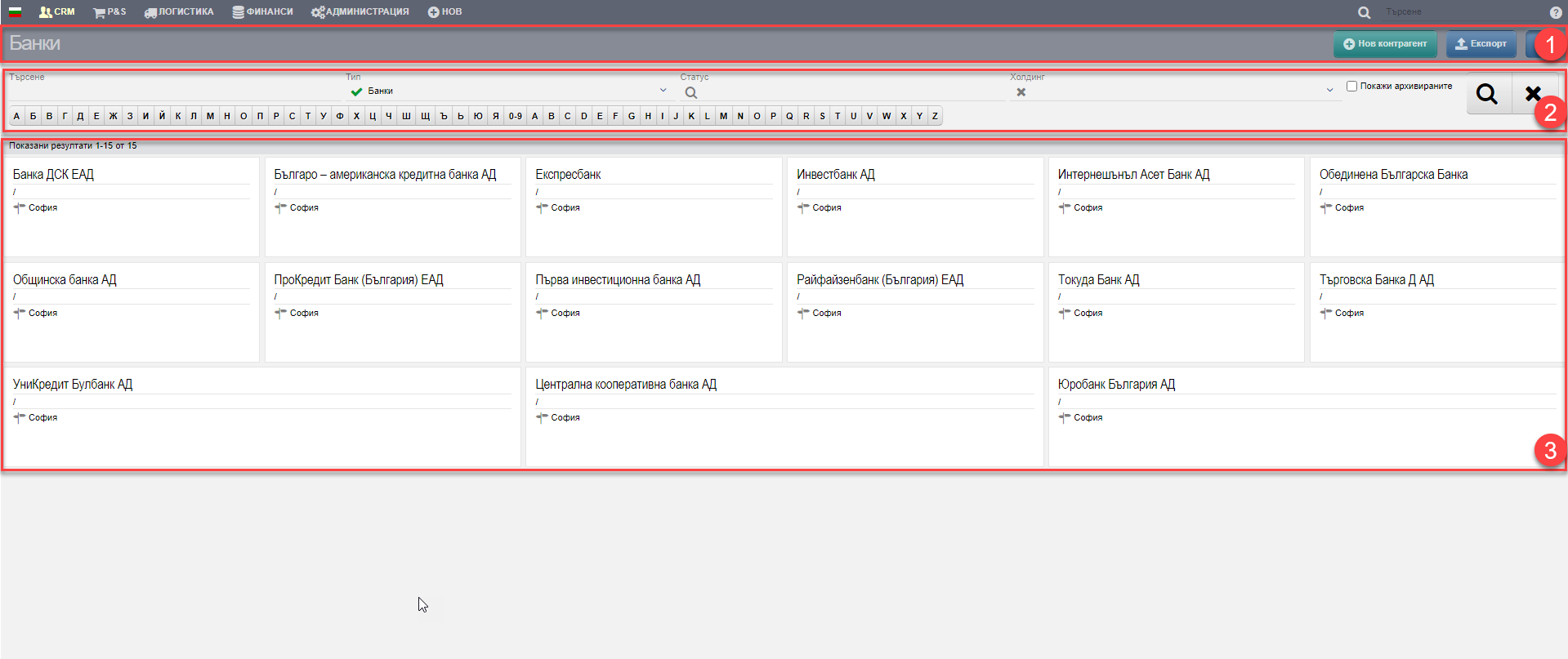
There are three buttons in the Header (1) that give you easy access to create a new counterparty, export to an Excel file, and the ability to expand the table and hide filters.
The results list (3) is managed depending on the parameters set in the Filter (2). You can search for banks in the following ways:
| Filter | Description |
| Search | Free search field by name, UIC, VAT number, alias, contact information, addresses. |
| Type | A list of all bank types entered in the system is displayed. You can filter by one, many or all. |
| Status | A list of all bank statuses entered in the system is displayed. You can filter by one, many or all. |
| Holding | Not applicable. |
| Letters | Search by the first letter of the Bulgarian or English alphabet. |
The customer list (3) consists of the files of all counterparties that meet the criteria set in Filter (2). Clicking on the name opens the Counterparty File (4):