Docs › Modules › Sales › Sales Settings
Point of sale POS
Point of Sale Management Interface. On the screen you see Heather (1) and List (2):
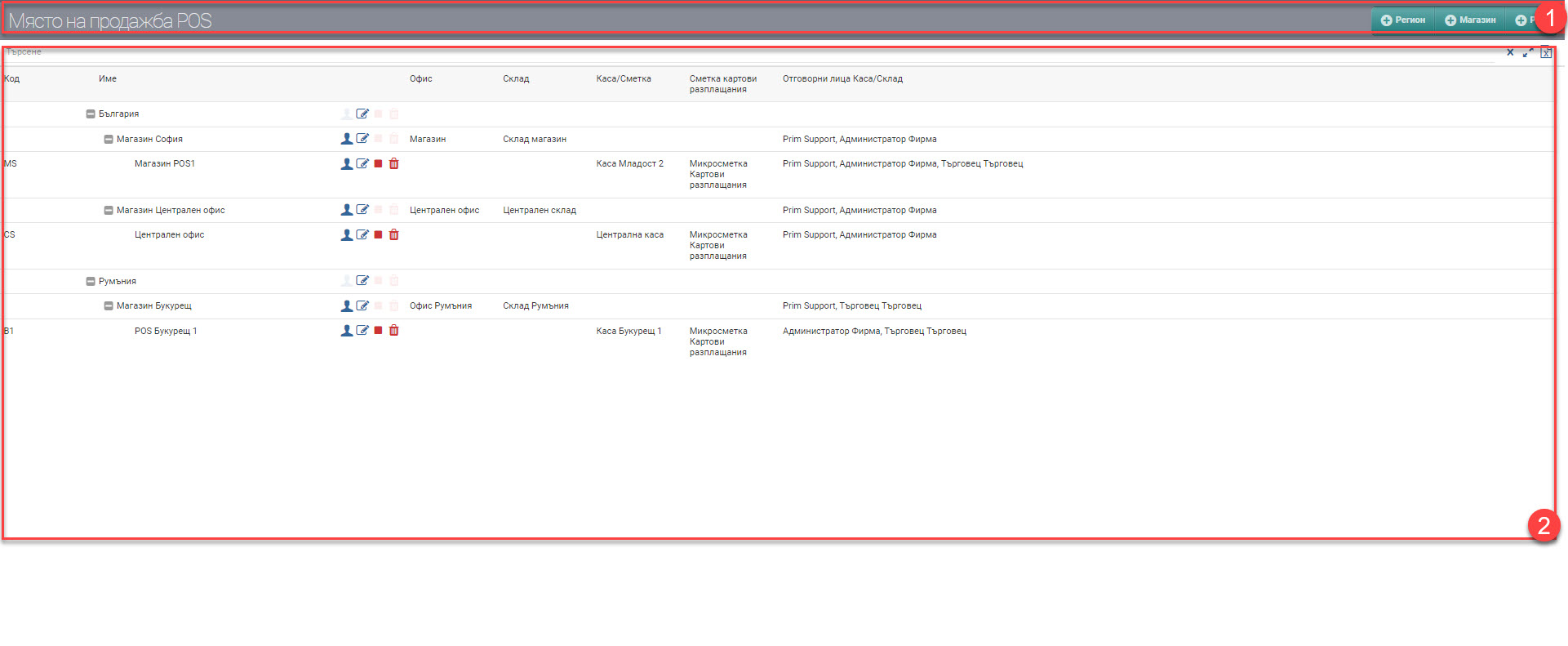
Heather (1)
In the Header (1) you see the Region, Store and POS buttons. With them you add a new region, a new store or a new POS.
List (2)
The list (2) consists of the entered objects in a tree structure. The top level is always Region, below it Store, and finally POS. The table contains the following data:
| Column | Description |
| Code | Object code |
| Name | Name of Region/Store/POS. |
| Office | The office of the respective shop. |
| Warehouse | The warehouse of the respective store. |
| Treasury/account | Checkout at the respective POS. |
| Card payments account | Account selected for card payments to POS. |
| Responsible persons | Users selected as POS merchants. |
You can perform the following actions on the list:
- – choose the persons responsible for the POS;
- – opens the site for editing;
- /– backup/enable POS;
- – POS deletion.