Docs › Modules › Sales › Operating activity Sales › Sales
Changing a customer to Sale
The interface for changing a customer in a sale consists of two fields Customer (1) and Change Customer (2):
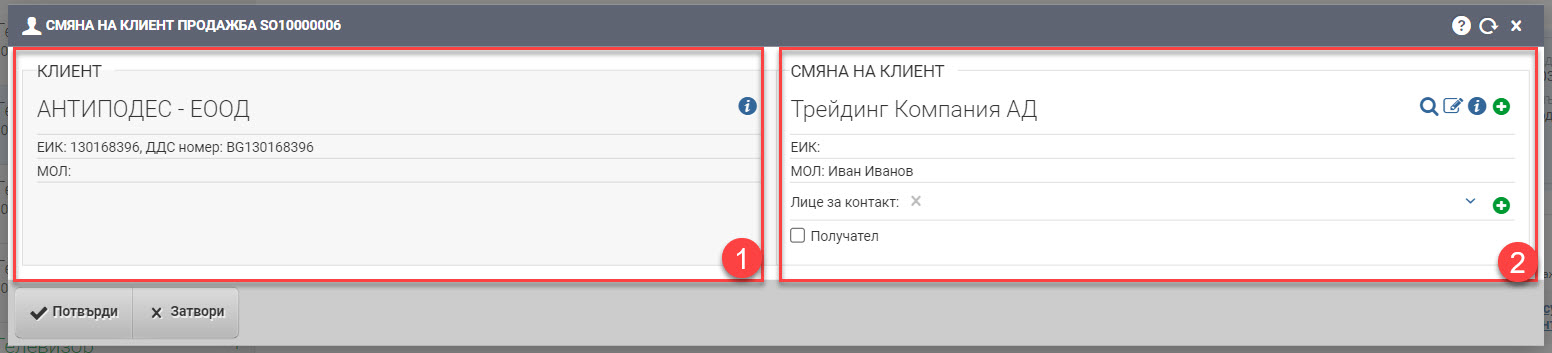
In the Customer field (1), the old customer of the sale is displayed, and in the Change Customer field (2) you need to find and specify the new customer with whom you want to make the change.
The customer’s change is saved with the Confirm button.
Important! Changing a customer in a sale is only done in the current month!
If your sale has closed, you have a financing document and a write-off to it, you should do the following:
1. Unzip the financial document.
2. Delete the listing to the sale.
3. Change the customer details in the sale.
4. Change the customer details on the invoice.
5. Recover the link between the sale and the invoice.
6. You redo the spelling.